
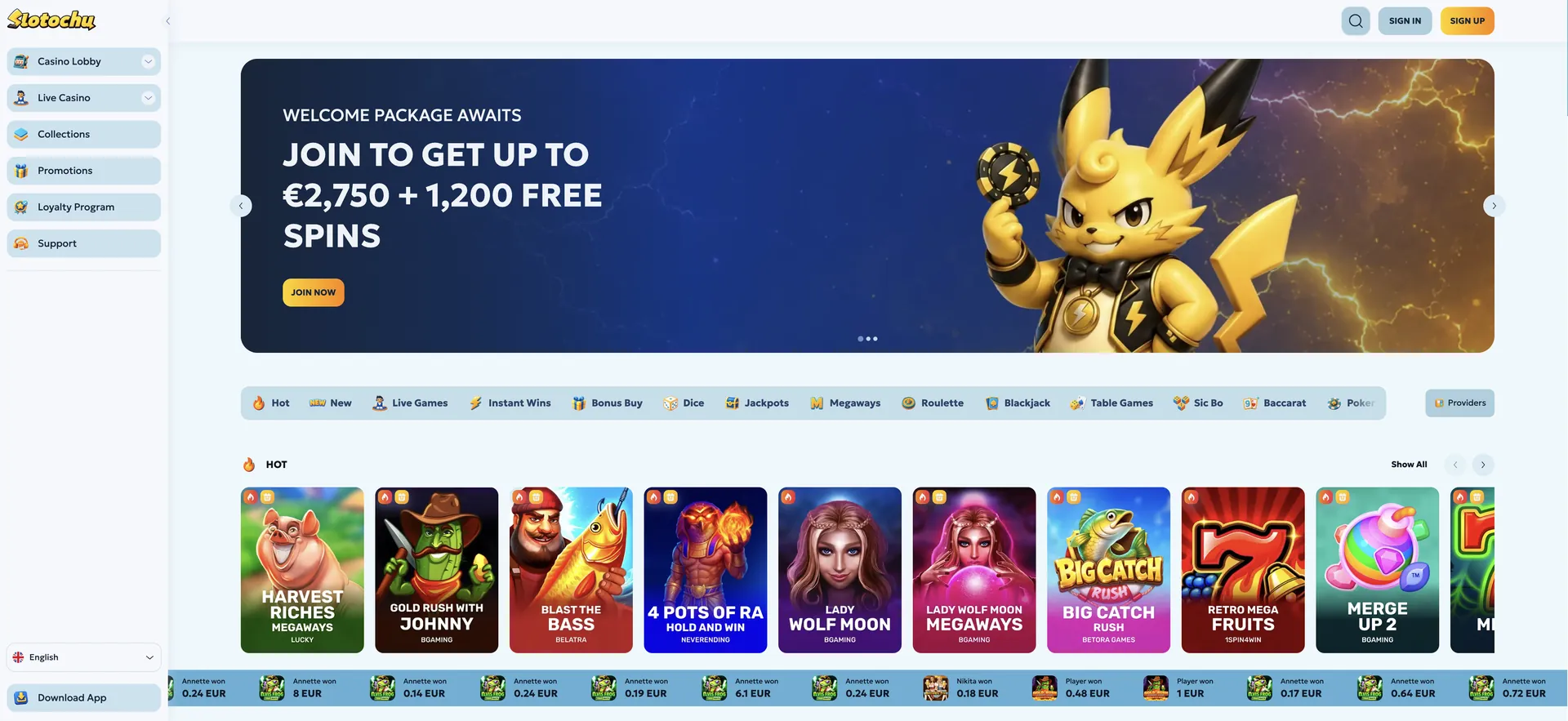
Slotochu registration takes a few minutes: click Sign Up in the top-right corner, fill in the form with your personal details and email, confirm the account, and the site sends you straight to the deposit page while a welcome email arrives in your inbox. UK players can open a GBP account, as the United Kingdom is not on the restricted list. To claim the first welcome bonus - 100% up to £500 + up to 300 free spins - enter promo code SPARK in the deposit field and deposit at least £20. Only one account per person is allowed, and identity verification (KYC) is usually requested before the first withdrawal and takes up to 24 hours.
Registration itself is free and does not require a deposit, but the details entered at sign-up are later checked against ID documents. Getting them right the first time avoids delays when the first withdrawal is due.
| Registration essentials | Details |
|---|---|
| Where to sign up | Sign Up button, top-right corner; or Create Account in the sign-in window |
| Details collected | Name, date of birth, email address, phone number, password |
| Age | Legal gambling age in the country of residence (18+ in the UK) |
| Currency | GBP, EUR or crypto equivalent |
| Accounts allowed | One per person, household, IP address and device |
| After sign-up | Redirect to the deposit page and welcome email |
| Welcome bonus code | SPARK - entered at the first deposit |
| Minimum first deposit | £20 |
| Verification | Documents uploaded in the profile; up to 24 hours |
How to register at Slotochu
The registration form opens over the current page, so the lobby stays in the background. The process in full, from opening the site to the first bonus:
- Open slotochuu.uk on a computer, phone or tablet.
- Click Sign Up in the top-right corner of the page.
- Enter your email address and create a strong password - these will be your login details.
- Fill in your personal details exactly as they appear on your ID.
- Check that the account currency is GBP.
- Confirm the creation of the account.
- On the deposit page that opens, enter SPARK, choose a payment method and deposit £20 or more.
- Activate the bonus in the "My bonuses" tab within one day.
If you do not want a bonus, leave the promo code field empty. The deposit is then credited as plain real money, without x40 wagering or the £5 max bet rule.
Pre-registration checklist
A few minutes of preparation make sign-up and the first withdrawal smoother. Before clicking Sign Up, it helps to have the following ready.
- An email address you check regularly: it is used for login, password resets and the welcome email.
- A valid photo ID: passport, driving licence or national ID card for later verification.
- Proof of address: a utility bill or bank statement from the last few months.
- A payment method in your own name: third-party deposits, including from a partner or relative, are forbidden.
- A withdrawal route: a UK bank account or a crypto wallet, since Apple Pay, paysafecard and Sofort cannot receive payouts.
- A bonus decision: which welcome tier to target, or no bonus at all.
Which welcome tier to pick at the first deposit
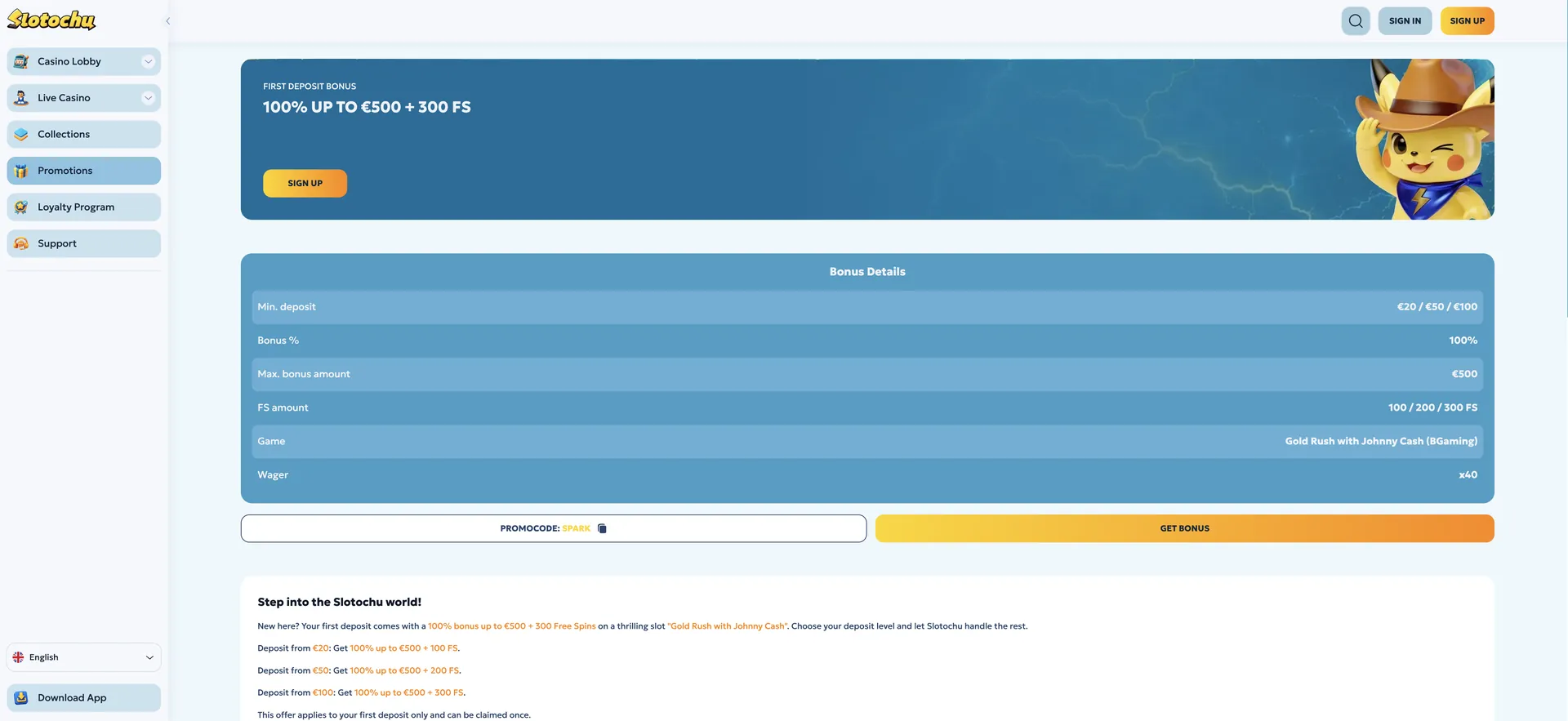
The first deposit bonus has three tiers. The match is always 100% up to £500, but the number of free spins depends on the deposit amount. All spins are on Gold Rush with Johnny Cash at £0.10 each.
| First deposit | Bonus | Free spins | Wagering (x40) | Max cash win (10x) |
|---|---|---|---|---|
| £20 | £20 | 100 (20 per day × 5) | £800 | £200 |
| £50 | £50 | 200 (40 per day × 5) | £2,000 | £500 |
| £100 | £100 | 300 (60 per day × 5) | £4,000 | £1,000 |
| £500 | £500 | 300 (60 per day × 5) | £20,000 | £5,000 |
For most players, £50 or £100 is the sensible choice. Going above £100 does not add more free spins and makes the wagering much harder to complete within the seven-day limit at a maximum bet of £5.
Email confirmation and first login
After the account is created, Slotochu sends a welcome email to the registered address. If it does not arrive within a few minutes, check the spam or junk folder; support can resend it via live chat or [email protected]. From then on, log in with the same email and password using the Sign In button in the header.
Account verification after registration
Slotochu can request verification at any stage and usually does so before the first withdrawal. Documents are uploaded in the verification section of the profile: select the document type, attach clear photos or scans and submit. Checks usually take up to 24 hours.
The casino may ask for proof of identity, proof of address and, in some cases, proof of the payment method or financial statements. If the documents cannot be verified, the terms allow the account to be closed, so the name, date of birth and address entered at registration should match the documents exactly.
Slotochu account rules
The general terms set several rules that apply from the moment the account is opened. Breaking them can lead to bonuses being removed or the account being closed.
- One account per person; bonuses are also limited to one per household, email, IP address, device and payment method.
- No VPNs - their use is prohibited.
- No third-party payments - deposits must come from a method registered in the player's name.
- No sharing - access must not be given to anyone else, including minors.
- Deposits must be wagered at least three times before withdrawal, or fees may apply.
- Accounts inactive for 180 days are classed as dormant.
Who can register at Slotochu
The United Kingdom is not on the casino's restricted list, and accounts can be opened in GBP. Registration is not available to residents of restricted countries, which include the USA, Poland, Malta, Cyprus, Gibraltar, Lithuania, Israel, South Africa, Ukraine and others listed in the general terms. Players from Sweden and Finland can register but cannot receive bonuses. Slotochu does not list a UK Gambling Commission licence, which is worth knowing for UK players who rely on UKGC protections such as GamStop.
Common registration mistakes
Most problems with new accounts appear later, at the first withdrawal. These are the mistakes that cause them.
- Entering a nickname or wrong date of birth: the details must match the ID used for verification.
- Skipping the promo code: the welcome bonus is not credited without SPARK and cannot be added after the deposit is played.
- Choosing the wrong currency: currency can be changed only after the first welcome stage is complete.
- Opening a second account: for a partner on the same device or IP address - this can lead to both accounts being closed.
- Depositing only with Apple Pay or paysafecard: without setting up a bank or crypto withdrawal route.
Registering on mobile
Sign-up works the same way in mobile browsers and in the Slotochu app, which can be installed from the Download App button in the sidebar. The Sign Up button stays in the top-right corner of the mobile layout, and documents for verification can be photographed and uploaded directly from the phone.
FAQ about Slotochu registration
Quick answers about opening a Slotochu account.
How long does Slotochu registration take?
A few minutes to fill in the form. Verification, if requested, takes up to 24 hours.
Can UK players register at Slotochu?
Yes. The UK is not on the restricted list and accounts can be opened in GBP. The casino does not hold a UKGC licence.
Is a deposit required to register?
No. Registration is free; a deposit of £20 or more is needed only to play for real money and claim the welcome bonus.
Where do I enter the Slotochu promo code?
In the deposit field on the deposit page that opens after sign-up. Use SPARK for the first deposit.
I did not get the welcome email - what should I do?
Check spam and junk folders first. If it is not there, contact live chat or [email protected] to have it resent.
Can I change my account currency later?
Only after the first stage of the welcome bonus has been completed, according to the bonus terms.